
Why connect MikroTik to Telegram?
Because you read alert emails the next morning, but you read phone messages immediately. A router that writes “the main line is down” or “there is a rogue DHCP server on the LAN” while it is happening is worth more than ten graphs reviewed the day after.
In this how-to, we build one thing: a telegram script that sends a message. Once it exists, all the other Dojo how-tos that need to notify someone use it, from Netwatch to the PoE watchdog: one line and the router writes to you.
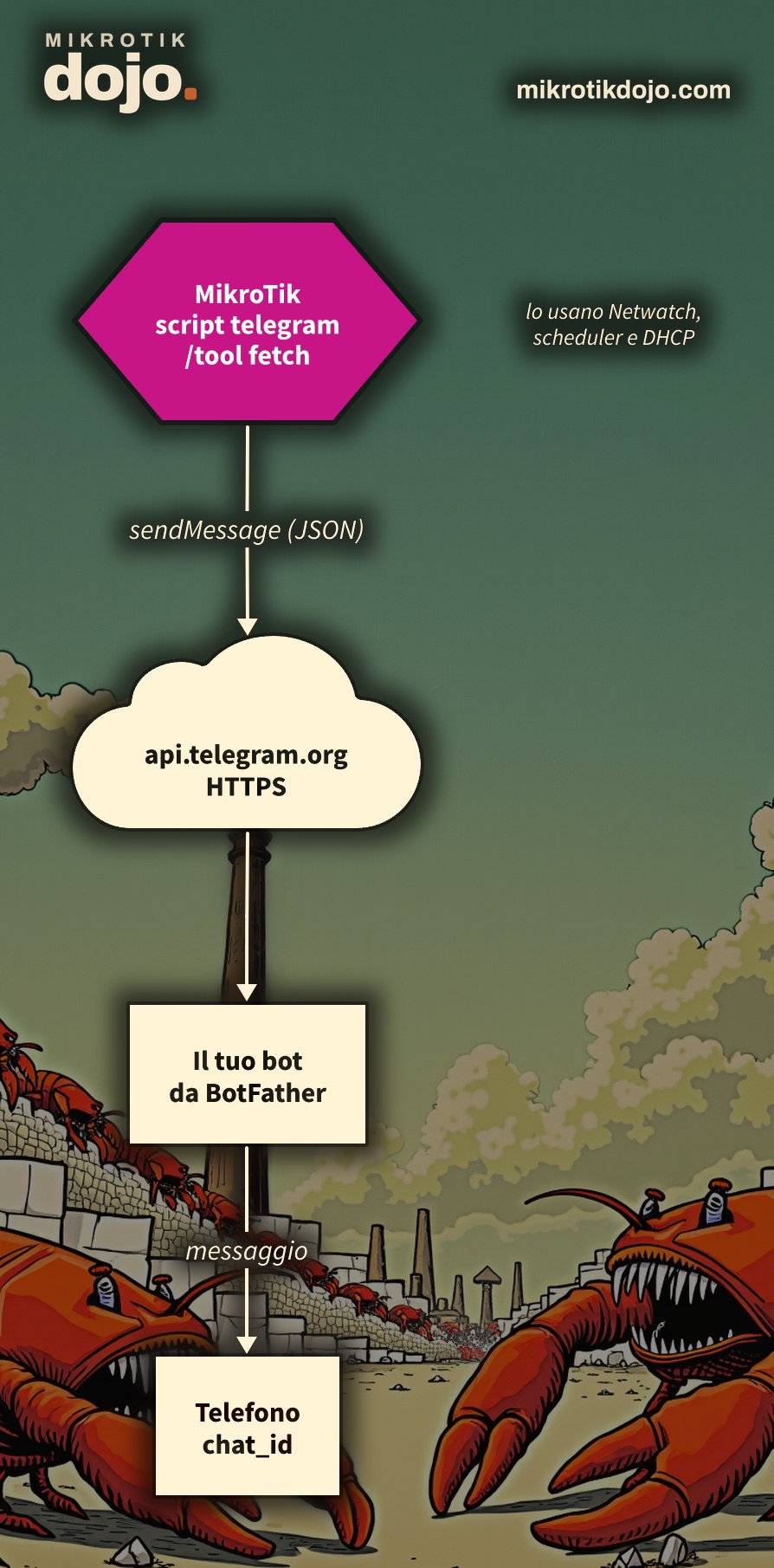
Step 1: how do I create the bot?
Messages are sent by a bot, an automatic Telegram account. You create it by talking to another bot, the official one from Telegram:
- on Telegram, search for @BotFather and send it
/newbot; - give the bot a name (for example “Office Router”) and a username ending with
bot(for examplerouterufficio_bot); - BotFather replies with the token, a string like
123456789:AAH…. Copy it.
A tip from the field: if you make a typo in the name or the username, do not edit the message, send a new one. BotFather only reads new messages and, if you modify one, it gets lost halfway through the procedure and replies with a generic error. When in doubt, /cancel and start over with /newbot.
⚠️ Warning: the token is the bot’s password. Whoever has it can send messages on its behalf. If it ends up where it should not, BotFather generates a new one and the old one stops working.
Step 2: who should the bot write to?
The bot writes to a chat, identified by a number, the chat_id. To find it:
- open the chat with your bot, press Start and send it any message, for example “hi” (a bot cannot write first to someone who has never written to it);
- from the browser, open
https://api.telegram.org/botTOKEN/getUpdates, replacing TOKEN with your token; - in the response, look for
"chat":{"id":: the number that follows is yourchat_id.
Do you want alerts in a group, for example the technicians’ group? Add the bot to the group, write a message in the group and repeat step 2: the chat_id of a group is a negative number, for example -1001234567890.
Step 3: can the router reach Telegram?
The router must resolve api.telegram.org and go out to the internet over HTTPS. A quick test:
/ping api.telegram.org count=3If it responds, you are ready. If it cannot resolve the name, check the router’s DNS (/ip dns print).
Step 4: how do I create the Telegram script?
A script containing the “engine” of the sending. Put your token and your chat_id in place of the examples:
/system script add name=telegram policy=read,write,test source={
:local token "123456789:AAH-esempio-del-token"
:local chat "987654321"
:local testo ([/system identity get name] . ": " . $1)
/tool fetch url=("https://api.telegram.org/bot" . $token . "/sendMessage") http-method=post \
    http-header-field="Content-Type: application/json" check-certificate=yes \
    http-data=[:serialize to=json value={"chat_id"=$chat; "text"=$testo} options=json.no-string-conversion] \
    output=none
}
What it does, line by line:
$1is the text you pass to it; it prepends the router’s name (/system identity), so when you have twenty routers, you immediately know which one is sending the message;/tool fetchcalls the Telegram API over HTTPS;check-certificate=yesverifies that the other end is actually Telegram, using the certificates already present in RouterOS;:serialize to=jsonbuilds the message in JSON and automatically handles quotes, slashes, and accents, which would break everything if written manually. Thejson.no-string-conversionoption preventschat_idfrom being converted into a number with decimals (without it,"987654321"becomes987654321.000000).
The /tool fetch and all its parameters are documented in the MikroTik manual: Fetch.
Step 5: how do I send the first message?
You turn the script into a function with :parse and then call it. From the terminal, everything goes inside the braces (a :local variable lives only within its block):
{
:local telegram [:parse [/system script get telegram source]]
$telegram "ciao, sono il router"
}
A message like Router Ufficio: ciao, sono il router arrives on your phone. You can also compose the text on the fly:
$telegram ("RouterOS " . [/system resource get version] . ", uptime " . [/system resource get uptime])These same two lines go into any script that needs to notify you: a scheduler, a Netwatch, or a DHCP alert. You can find how :parse and functions work in the MikroTik manual: Scripting.
⚠️ Warning: why not a global function? It might seem more convenient to define $telegram once with :global. I tried it: it works from the terminal, but in Netwatch scripts the global function appears empty and the message is not sent, with no error in the log. With :parse, each script loads its own copy at runtime and works everywhere, even immediately after a reboot.
Step 6: how do I get notified when the router reboots?
An unrequested reboot is always news: power outage, a crash, or someone unplugging the device. A scheduler at startup tells you:
/system scheduler add name=telegram-avvio start-time=startup on-event={
    :delay 30s
    :local telegram [:parse [/system script get telegram source]]
    $telegram ("riavviato, RouterOS " . [/system resource get version])
}
The :delay 30s gives the router time to establish internet connectivity. In the lab, after a reboot, the message arrived in less than a minute:
CHR: riavviato, RouterOS 7.24.5 (stable)Step 7: how do I know if something is wrong?
Each send leaves a line in the log:
/log print where topics~"fetch"Download from api.telegram.org FINISHED: the message was sent;FAILED: ERROR parsing http: 401 …: the token is incorrect or has been revoked;FAILED: Status 400, Bad Request: thechat_idis incorrect, or you have never written to the bot from the chat;- no line: the script did not run. Check that the script is named exactly
telegramand, from the terminal, that you placed the lines inside the braces.
What do I check before putting it into production?
The token is written in the script, and it appears in two places you might not expect. I verified this: /system script export reports it in full, and when you add or modify the script, the system log also records the entire source code, including the token. Therefore:
- exports and logs you share, for support or on a forum, must be cleaned of the token; if you send logs to an external syslog, remember that the token is there too;
- access to the router must be protected: follow the Basic Hardening of a MikroTik Router;
- one bot per client, not one for all: if a token leaks, you only need to regenerate that one.
Now the router knows how to write: in other Dojo how-tos, when a notification is needed, the two lines from Step 5 are sufficient.
Tested in the lab on PNETLab with CHR RouterOS 7.24.5 (stable) and a real bot: creation via BotFather, chat_id from getUpdates, message received on the phone (with accents), JSON with quotes and slashes, message on startup after a reboot, 400 and 401 errors in the log, token visible in the export.
Frequently asked questions
How does a MikroTik router send a Telegram message?
Using /tool fetch towards the Telegram bot API, method sendMessage, passing the chat_id and the text in JSON. You need a bot created with @BotFather and its token.
How do I find the chat_id?
Send a message to the bot, then open https://api.telegram.org/bot<token>/getUpdates: the number after "chat":{"id": is the chat_id. For a group, it is a negative number.
Why is the message not arriving?
Check /log print where topics~"fetch": 401 means wrong token, 400 means wrong chat_id or the bot has never been contacted. If there is no line at all, the script did not start.
Why does the global function $telegram not work in Netwatch?
Because Netwatch scripts do not see global functions created by another session: the variable is empty and the message is not sent. Loading the script with :local telegram [:parse [/system script get telegram source]] makes it work in any context.
Can I send messages with accents and quotes?
Yes, if you build the JSON with :serialize to=json: RouterOS automatically escapes quotes and slashes and lets accents pass through.