
What is the lease-script?
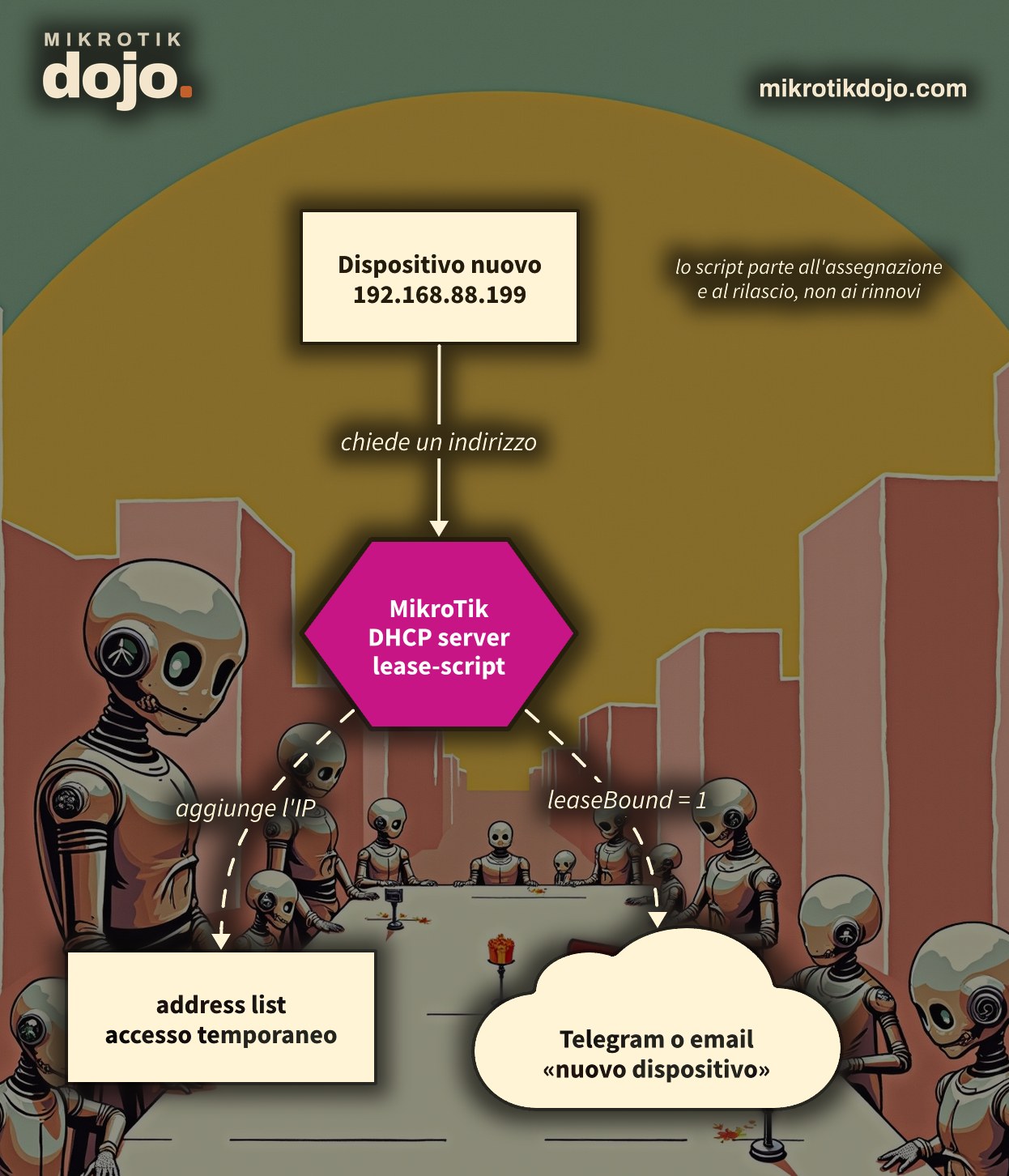
It is a field in the DHCP server (/ip dhcp-server) where you write a small RouterOS script. The router executes it at two moments:
- when it assigns an address to a client (lease “bound”);
- when the lease is released, because the client released it or because it expired.
And when the client renews? Nothing: I tested it in the lab with a 2-minute lease, the client renewed every minute and the script stayed silent. Good news: you do not get an alert on every renewal, but only when a device truly enters or leaves.
Inside the script, these variables are already available:
$leaseBound: it is1when the address is assigned,0when it is released or expires;$leaseServerName: the name of the DHCP server;$leaseActMAC: the client’s MAC address;$leaseActIP: the IP address of the lease;$"lease-hostname": the name declared by the client, if declared (the hyphen forces you to write it in quotes);$"lease-options": the DHCP options sent to the client, indexed by option number;$"lease-agent-circuit-id"and$"lease-agent-remote-id": the switch and port from which the client comes, when the request passes through a relay or a switch with Option 82.
The complete list of server properties, including lease-script, is in the MikroTik manual: DHCP Server Properties.
Step 1: which DHCP server am I working on?
The script attaches to a specific DHCP server. Check how yours are named:
/ip dhcp-server printIn the examples, the server is named dhcp-lan: replace the name with yours. If you have multiple servers (LAN, guests, cameras), each has its own lease-script.
Step 2: how do I test it without causing damage?
With a script that only writes to the log. It is the “microphone check” of the lease-script:
/ip dhcp-server set [find name=dhcp-lan] lease-script={
    :if ($leaseBound = 1) do={
        :log info ("DHCP " . $leaseServerName . ": assegnato " . $leaseActIP . " a " . $leaseActMAC . " (" . $"lease-hostname" . ")")
    } else={
        :log info ("DHCP " . $leaseServerName . ": liberato " . $leaseActIP . " da " . $leaseActMAC)
    }
}
Unplug and replug a device, then check the log:
/log print where topics~"script"In the lab, unplugging and replugging a Linux PC, this was the output:
script,info DHCP dhcp-lan: liberato 192.168.88.199 da 50:00:00:1E:00:00
script,info DHCP dhcp-lan: assegnato 192.168.88.199 a 50:00:00:1E:00:00 (pc7a)
Step 3: how do I receive an alert when a new device enters?
The idea: devices you know have a static lease, those you do not know do not. The script alerts only for the latter. However, first the router must be able to send email: there is a dedicated howto on sending email from MikroTik with Gmail.
/ip dhcp-server set [find name=dhcp-lan] lease-script={
    :if ($leaseBound = 1) do={
        :local noto [/ip dhcp-server lease find where mac-address=$leaseActMAC and dynamic=no]
        :if ([:len $noto] = 0) do={
            :log warning ("Dispositivo sconosciuto: " . $leaseActMAC . " " . $leaseActIP)
            /tool e-mail send to="admin@example.com" subject=("Nuovo dispositivo sulla LAN: " . $leaseActMAC) \
                body=("IP " . $leaseActIP . ", nome " . $"lease-hostname" . ", server " . $leaseServerName)
        }
    }
}
Change admin@example.com to your address. The log line remains even if the email does not go out: it is your reminder.
Step 4: how do I make a device “known”?
By turning its lease into a static one. From that moment on, the script recognizes it and stops flagging it:
/ip dhcp-server lease make-static [find where mac-address="AA:BB:CC:DD:EE:FF"]
/ip dhcp-server lease print where dynamic=no
In WinBox it is even faster: IP → DHCP Server → Leases, right-click on the lease and Make Static.
⚠️ Warning: many smartphones use a random MAC address for each WiFi network. It usually stays the same as long as the phone connects to the same network, but if the user regenerates it from the settings, for the router it is a new device and the script flags it again.
Step 5: how do I grant temporary access to a client?
This was the idea behind the original article: opening a service for a few minutes to each new client, for example a social login on the hotspot. In RouterOS 7, the right tool is the address list with timeout: the address disappears on its own when the time expires, without a second script to remove it.
/ip dhcp-server set [find name=dhcp-ospiti] lease-script={
    :if ($leaseBound = 1) do={
        /ip firewall address-list add list=accesso-temporaneo address=$leaseActIP \
            timeout=10m comment=$leaseActMAC
    } else={
        /ip firewall address-list remove [find list=accesso-temporaneo address=$leaseActIP]
    }
}
Check that the client enters the list:
/ip firewall address-list print where list=accesso-temporaneoThe client appears as a dynamic entry, with the countdown of the timeout and its MAC in the comment. At that point, a firewall or walled garden rule can use src-address-list=accesso-temporaneo: in the hotspot, for example, you can open a site only to clients present in the list.
Step 6: how do I find out if the script has an error?
Lease-script errors do not appear on screen: they end up in the log. For example, the script from Step 3 on a router without email configured leaves these lines:
script,warning Dispositivo sconosciuto: 50:00:00:1E:00:00 192.168.88.199
e-mail,error Error sending e-mail <Nuovo dispositivo sulla LAN: 50:00:00:1E:00:00>: error connecting to server
script,error executing script from dhcp failed, please check it manually
The command to find them:
/log print where topics~"script" or topics~"e-mail"Three rules to avoid problems:
- no slow operations: the script runs while the server is handling the client;
- always test first with
:log, as in Step 2, and only then add email or firewall; - the variables
$lease…exist only inside the lease-script: in another script they are empty.
Step 7: what do I check before putting it into production?
A lease-script that sends email or touches the firewall lives on a router that must already be protected. If you have not done it yet, follow the Basic hardening of a MikroTik router: user different from admin, limited services, firewall towards the internet.
Tested in the lab on PNETLab with CHR RouterOS 7.24.5 (stable) and a Linux client: script in the log, warning for unknown MACs, make-static, address list with timeout, no execution on lease renewals.
Frequently asked questions
When does the MikroTik DHCP server lease-script start?
When the DHCP server assigns an address to a client and when a lease is released or expires. The variable $leaseBound is 1 in the first case and 0 in the second.
Does the lease-script start when the client renews the lease?
No. In the lab, on RouterOS 7.24.5, with a 2-minute lease the client renewed every minute and the script never started: it starts only on assignment and on release or expiration.
How do I read the device name in the lease-script?
The name declared by the client is in the variable $"lease-hostname", to be written in quotes because of the hyphen. It can be empty: not all devices send it.
Can I send an email from a lease-script?
Yes, with /tool e-mail send, after configuring the router’s SMTP server. It is advisable to filter the cases in which to send it, for example only for unknown MACs; if the email does not go out, the error ends up in the log.
How do I automatically remove a client from the address list?
By adding it with a timeout, for example timeout=10m: when it expires, RouterOS removes the entry on its own, without the need for other scripts.
This howto updates a 2015 article on my old blog wirelessguru.it, now offline, to RouterOS 7.